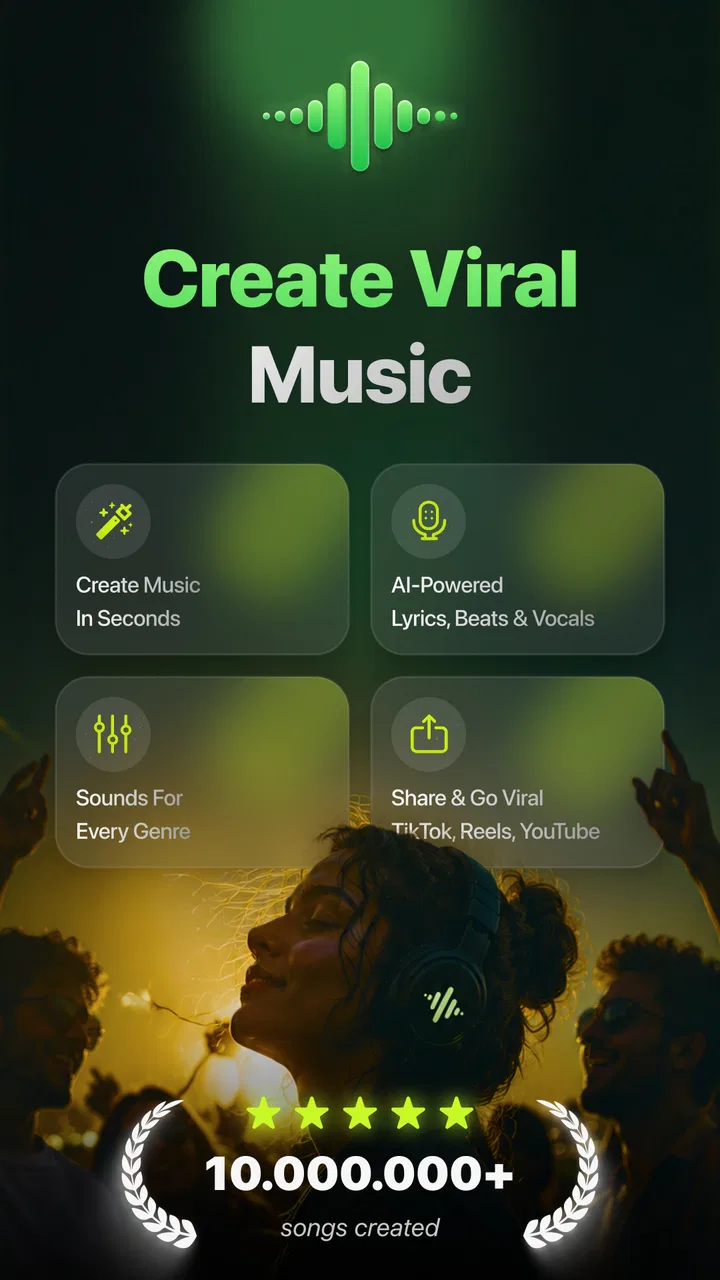
Beatron - AI Music Maker
- 4.6
- Rating
- 1.00M
- Installs
- Free
- Price

 Analysis by App-foxy
I approached Beatron - AI Music Maker as a quick creative tool rather than a replacement for a full music studio. Its central idea is appealing: start with words, lyrics, an image, or even a hummed idea, then turn that starting point into music. That makes it interesting for people who have musical ideas but do not play an instrument, and for anyone who wants to sketch a mood without opening a complicated desktop program.
Beatron is a free productivity app from Ocean Float Mobile, although it includes optional purchases priced from $4.99 to $99.99 per item. It is rated for Everyone, works on Android 7.0 and later, and the current release is version 9.0. The app has attracted over 500K installs, with a 3.7 average from around 2K ratings. Those figures suggest a sizeable audience, but also a mixed experience, so I would treat it as a creative companion to test rather than an automatic recommendation for every musician.
How Beatron feels when the idea starts as text, a lyric, or a hum
The most useful way to understand Beatron is to imagine the moment when an idea is clear in your head but not yet shaped into a song. You might have a chorus written in your notes app, a rough melody recorded as a hum, or a picture that captures the atmosphere you want. Instead of translating that idea manually through instruments and production software, you can use it as the starting point for a music-making experiment.
You May Also Like

 Blood Strike: 2.5 Anniversary
Blood Strike’s Loadouts Turn Every Drop Into a Tactical Gamble
A close look at Blood Strike’s custom loadouts: how fast access to signature weapons reshapes its battle royale rhythm, rewards preparation, and narrows the gap between fights.

 Pandora - Music & Podcasts
Pandora’s Music Is Easy to Start, but Harder to Recover
Pandora’s strength is its low-effort path from a seed to a station. Its weak spot is how much confidence it asks you to place in connection, setup, and quiet recovery.

 8 Ball Pool
 Is Built on Rivalries, Rematches, and Routine
A close look at the rivalries, rematches, shared routines, and unanswered safety questions that turn a quick pool match into a persistent mobile community.

 Samsung Music
’s Quiet Strength Is Playing What You Already Own
Its reach comes less from spectacle than from dependable access to a personal library. That simplicity is both the app’s strongest retention engine and its ceiling.

 AccuWeather: Weather Radar
AccuWeather Review: A Quick, Clear Forecast for Everyday Decisions
For everyday plans, the best forecast is the one you can understand quickly. AccuWeather makes rain timing, radar, and local conditions easy to act on, with a few trade-offs.

 Hill Climb Racing
Why Hill Climb Racing Still Turns Crashes Into One More Run
A tiny car, a bumpy hill and one more upgrade: Hill Climb Racing keeps resurfacing because its simple chaos makes every near-miss feel personal.
More From Our News Desk



That workflow is especially approachable for beginners. Traditional music apps often ask you to understand tracks, loops, tempo, keys, effects, and arrangement before you hear anything satisfying. Beatron puts the creative prompt first. I like that change in emphasis because it lowers the barrier between “I have an idea” and “I want to hear what this could become.”
Still, the result should be viewed as an interpretation, not a precise transcription of your intention. A hum can communicate a contour or feeling, but it may not produce the exact melody you imagined. Text can suggest a subject or atmosphere without automatically understanding the emotional nuance behind every line. The app is therefore strongest when you are open to variations and weakest when you need strict musical control.
For a songwriter, that distinction matters. Beatron can help break a creative block, offer a rough direction, or make a private demo feel more tangible. It is less suitable when the goal is to preserve every rhythmic detail, edit individual notes, or build a carefully mixed final track. In those situations, a conventional digital audio workstation or a dedicated instrument app gives you more direct control.
Why the input method changes the experience
Text is the fastest route into the app. I can imagine using a short description to explore contrasting directions: a quiet late-night piece, an energetic backing idea, or something shaped around a particular lyrical theme. The advantage is speed. The trade-off is that descriptive language can leave plenty of room for interpretation, so two attempts based on similar wording may feel meaningfully different.
Lyrics offer a more personal starting point. They give the generated idea something concrete to respond to, which can be useful when the words already have a rhythm in your head. I would use this mode for testing whether a verse and chorus feel compatible, not for assuming that the first musical result is the definitive arrangement. A generated interpretation may reveal a stronger cadence in one line or expose a section that needs rewriting.
Images are an unusual option for a music app, and that makes them valuable for visual thinkers. A photograph, sketch, or color-heavy scene can act as a mood board when words feel too restrictive. The practical insight here is to choose an image for its atmosphere rather than its literal subject. A crowded picture may lead your thinking toward busy, layered music, while a simple image can help you judge whether the app captures a quieter emotional direction.
Humming is probably the most personal input because it carries timing and pitch in a way plain text cannot. It is also the input I would approach with the most patience. A quick hum recorded in a noisy place, with uneven volume or hesitation, may not communicate the idea as clearly as a deliberate take. If you want to get more useful results, hum the main contour steadily and avoid trying to perform the entire song at once.
Where connectivity becomes part of the creative process
Because the app turns several kinds of input into music, the experience is likely to feel most dependent on a reliable connection at the moments when an idea is being processed. I would plan around that rather than treating Beatron like a completely self-contained instrument. If you are sitting in a café, commuting, or working in a building with inconsistent reception, the creative flow can be interrupted precisely after you have supplied your best idea.
This changes how I would use it on a phone. I would prepare lyrics or a short prompt before opening the app, keep a hum concise, and avoid starting an important experiment when I am about to lose connectivity. That habit does not make the app less useful; it simply recognizes that AI-style creation is different from tapping a local drum machine. The waiting or processing stage is part of the workflow, and network conditions can shape how spontaneous the experience feels.
For casual exploration, this is easy to accept. You can try an idea, move on if the result is not right, and return later. For a time-sensitive task, such as preparing music for a presentation or trying to capture a fleeting melody outdoors, the uncertainty is more frustrating. I would keep the original lyric, image, or voice idea somewhere else so a failed attempt never means losing the source material.
A realistic mobile scenario
Imagine that I am walking home after hearing a melody in my head. I hum the chorus into my phone, but the street is loud and my connection is unstable. The sensible workflow is not to rely on Beatron as the only recorder. I would first preserve the hum in a basic recording tool, then use the cleanest version in Beatron once I am somewhere quieter. That gives me both security and flexibility: the original idea remains intact, while the app can explore what it might sound like as music.
Another useful situation is a lyric-writing session. I might have a verse in a notes app and want to hear whether its emotional tone works with a musical direction. I would paste or re-enter the key lines, generate an interpretation, and then compare the result with the feeling I intended. If the music sounds too bright, too busy, or too dramatic, that feedback can guide a rewrite. The value is not only the generated audio; it is the way the experiment helps me make a decision.
On a long trip, I would be more cautious. Beatron is attractive for spontaneous mobile creativity, but I would not build an entire travel plan around uninterrupted access to generation. Prepare source material in advance, use a stable connection when possible, and save anything important outside the app. That is a practical way to enjoy the creative side without confusing convenience with guaranteed availability.
What happens when an attempt goes wrong
Creative apps are judged not only by their best results but also by how gracefully they handle disappointing ones. With Beatron, an unsatisfying output is not necessarily a failure. A strange interpretation can point to a vague prompt, an unclear lyric structure, or a hum that needs to be recorded more cleanly. I would treat the first attempt as a diagnostic step rather than spending time trying to force an unsuitable result into a finished song.
A useful recovery method is to change one variable at a time. If you begin with text, shorten the description instead of rewriting everything. If you use lyrics, separate the central hook from supporting lines. If you hum, repeat the main phrase more steadily. This makes it easier to understand whether the problem came from the idea itself or from the way it was presented.
Connectivity failures need a different response. Before trying again, I would check whether the original input is still available outside the app. For a hum, that means keeping the recording. For lyrics, it means retaining the text in a notes app. For an image, it means knowing where the original file is stored. This small habit prevents a temporary interruption from becoming a creative setback.
I also would not judge the app from one generation. Music is subjective, and an unexpected result can be either inspiring or unusable depending on what you wanted. The key trade-off is speed versus precision: Beatron can help you reach a musical sketch quickly, but repeated experimentation may be necessary before the result matches your taste. If you want every detail under your control from the first note, the app will feel limited.
Using it without wasting mobile data or attention
Anyone using a music-generation app on a phone should think about data and battery habits, even without turning the process into a technical project. I would avoid repeatedly sending long, unclear prompts or recording several unnecessary hums. A focused input is easier to evaluate and avoids turning experimentation into random tapping. When I have a strong idea, I prefer to prepare it first and submit one deliberate version rather than improvising through many low-quality attempts.
Images deserve particular care. A very large or overly detailed picture may be inconvenient to handle on a mobile connection, while a simpler image can communicate the intended mood just as well. I would choose a clear visual reference, keep the original available, and avoid using the app as a place to store every possible variation. That approach makes the creative session easier to manage and keeps the important material organized elsewhere.
The optional purchase range also affects how I would approach testing. Since the app is free to start, I would explore its basic workflow before spending anything. I would want to know whether its interpretation style suits me, whether the input methods fit my habits, and whether the results are useful beyond a novelty experiment. The higher-priced items make it especially important to understand what I am buying before committing, rather than assuming that payment automatically solves the app’s creative limitations.
For families, the Everyone rating makes the app broadly approachable, but I would still explain that AI-assisted music is an experiment rather than a guaranteed finished product. Younger users may enjoy turning a drawing or a short phrase into a musical idea, while parents may prefer to supervise purchases and keep original recordings or images organized. The age rating answers the basic suitability question, but it does not replace sensible device habits.
Who will get the most from Beatron?
I would recommend Beatron most strongly to curious beginners, lyricists, visual creators, and casual musicians who want quick inspiration. It is also a good fit for someone who hears melodies but lacks the technical confidence to arrange them. The ability to begin with a hum is more meaningful than a simple novelty feature: it gives non-instrumentalists a way to communicate a musical thought using the tool they already have.
It can also help experienced musicians during the early idea stage. A producer may use it to challenge a predictable direction, while a songwriter may use an unexpected interpretation to find a new rhythm or mood. The important boundary is that it works better as a sketching partner than as the final production environment. I would export or recreate the useful parts in a more controllable tool once the direction becomes serious.
I would skip it if my main goal were detailed editing, live performance, professional mixing, or exact notation. Someone who already owns a full music workstation may find Beatron too indirect for day-to-day production. Likewise, a user with limited connectivity or very little patience for trying multiple interpretations may prefer a local keyboard, loop app, or recorder that responds immediately and predictably.
How it compares with familiar alternatives
Compared with a standard notes app, Beatron has the obvious advantage of turning an idea into something musical rather than leaving it as text. Compared with a voice recorder, it can offer interpretation instead of simply preserving the original hum. But those simpler tools remain important because they are better for capturing the source faithfully. I would use them alongside Beatron, not necessarily choose one and abandon the others.
Against loop-based music apps, Beatron is more prompt-driven and less manual. Loop apps reward users who enjoy selecting patterns, arranging sections, and adjusting musical building blocks. Beatron is more appealing when I want to describe or demonstrate an idea and hear a possible result quickly. The trade-off is that loop-based tools usually make the construction process more visible and controllable.
Compared with a full digital audio workstation, Beatron is easier to approach but narrower in control. A workstation is the better choice for recording multiple parts, editing timing, balancing instruments, and shaping a final mix. Beatron is the better choice when the question is simply, “What might this idea sound like?” That difference prevents me from calling it a replacement for established music software.
The image input also gives it a distinct creative angle. Most conventional music tools begin with sound, notes, or loops, while Beatron allows a visual prompt to influence the starting point. I would use that for mood exploration, soundtrack concepts, or creative exercises. I would not expect an image alone to express precise musical instructions, so the feature is most useful when atmosphere matters more than technical specification.
My connectivity verdict and final recommendation
Beatron works best when I treat it as a connected idea generator that lives on my phone, not as a guaranteed offline studio. Network interruptions can break momentum, and mobile conditions can make a spontaneous session less dependable than a simple recorder or instrument app. The solution is straightforward: preserve the original input, prepare concise prompts, and use a stable connection for experiments that matter.
My overall impression is positive but measured. The combination of text, lyrics, images, and humming gives the app a wider creative doorway than many beginner music tools. Its free entry point makes it reasonable to try, while the 3.7 average shows that expectations should stay realistic. Some users will love the surprise and speed; others will want more control than this kind of prompt-based workflow can provide.
My recommendation is to try Beatron when you want inspiration, not certainty. Use it to turn a half-formed idea into a musical direction, compare moods, or escape a blank page. Keep a conventional recorder or music editor nearby for preservation and detailed work, and evaluate any optional purchase only after the basic experience fits your habits. For a curious creator who accepts experimentation and plans around connectivity, it can be a genuinely enjoyable productivity tool.
In short, I see Beatron as a bridge between imagination and a first musical sketch. It is most valuable in the few minutes when an idea needs encouragement, and least valuable when the job demands exact arrangement or dependable studio control. That is a clear role, and within it, Beatron - AI Music Maker offers an accessible way to hear possibilities that might otherwise remain only in your head.
FAQs for Beatron - AI Music Maker
01What is Beatron - AI Music Maker?
Beatron - AI Music Maker is an innovative app that allows users to create music using artificial intelligence. It provides a range of tools and features to compose, edit, and mix tracks effortlessly. Whether you're a seasoned musician or a beginner, Beatron simplifies the music-making process with its user-friendly interface.
02How does the AI technology in Beatron work?
The AI in Beatron analyzes musical patterns and suggests melodies, harmonies, and rhythms based on your input. It uses machine learning algorithms to adapt to your style, offering creative suggestions that enhance your compositions. This makes it a powerful tool for generating new ideas and overcoming creative blocks.
03What features does Beatron offer to enhance music creation?
Beatron offers a variety of features including a virtual instrument library, customizable sound effects, and real-time collaboration tools. Its intuitive drag-and-drop interface allows for seamless track arrangement, while the AI assistant provides instant feedback and creative suggestions to perfect your music.
04Is Beatron suitable for beginners in music production?
Yes, Beatron is designed to be accessible for users at all skill levels. Its straightforward interface and helpful AI tools make it easy for beginners to start composing music. Tutorials and guides are available within the app to help new users understand the basics and explore more advanced features as they become comfortable.
05Can I share my music created with Beatron on social media?
Absolutely! Beatron allows you to export your tracks in various formats suitable for sharing on social media platforms. The app includes direct sharing options so you can easily post your creations on sites like Instagram, Facebook, and Twitter, showcasing your work to a broader audience.
Pros
- Intuitive interface for easy music creation.
- Wide variety of AI-generated music styles.
- Real-time collaboration with other users.
- High-quality audio output and export options.
- Regular updates with new features and improvements.
Cons
- Limited free version features.
- Requires a stable internet connection.
- Occasional lag with complex compositions.
- Some advanced tools need in-app purchases.
- User community support is still growing.

Beatron - AI Music Maker
Gallery